Home Photo Widget

Set any photo you want as a widget on your home screen

So my latest app has been out for a while, but I haven’t updated this website in a long time…

First: you can download the app at: Home Photo Widget

So I updated my phone to iOS14 back when it was released and the first thing I wanted to do with the new widgets on the home screen feature was add some photos. Then I noticed the stock Photos widget wasn’t customizable so I made my own…

Since then I’ve updated it with many more features and plan on implementing more. About a month ago I added IAP for the big new features (the original and basic features will remain free).

Current free features are:

  • Add your own photos as widgets on your home screen
  • Select which part of the image you want visible, as the aspect ratio of the widget may not match the picture…
  • Add a name to the picture and select its color

Current payed features are:

  • Add custom links to photos: You can use them as quick links for calling/messaging contacts, start playing your favorite albums, open websites, run shortcuts from Apple’s Shortcuts app, etc…
  • Create multi photo widgets in two modes: Gallery (each photo will be displayed for your chosen duration or at the specific times you choose) or Mosaic, where up to 16 pictures will be shown in a grid (with or without spacing). This mode is great to create your own favorite contacts widget, or favorite music albums…

So, enjoy and I’ll be updating this site showing examples of what can be done using the widget. Contact me if you have problems running the app or if you want a feature.

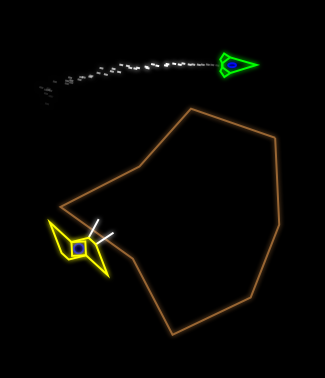
Vector Star Brawl and Endless Space Shooter updated

New ship landed

I just updated both games. Endless Space Shooter was still 32bit so it wasn’t available on the App Store. I complied with the latest SDK and it’s working fine on new iOS versions.

Vector Star Brawl was 64bits and has been working pretty well all these years but there were a couple of annoying problems I’ve wanted to fix for a long time, so I finally did it:

  • It was impossible to take off from the planet in Challenge mode. In the last update I made the planet’s gravity force stronger for more dramatic gravity effects (bending bullet paths, possibility of entering orbit…) but this had the side effect that the gravity was too strong for the engine power of the ships. I’ve increased the power to all ships and now it’s fine again. Also this makes the game more responsive and faster to play.
  • I developed the game on an iPad, only tried it at the time on an older iPhone, but if you played the game on a newer iPhone with a longer screen, the zoom calculation that makes sure ships are always visible was off. The ships would often disappear out of the sides of the screen. This has now been corrected.

I’ve been trying the game out these last few days and still think it’s my best game, and still fun, especially considering the fact that it runs now much better than in the older device it was developed on. As the graphics were done without GPU acceleration.

Endless Space Shooter now supports 2 players and has no ads

Endless Space Shooter has just been updated. The game now supports 2 players, each playing on one side of the screen, with the second ship flying inverted, oriented towards the second player.

A new leader board has been added for 2 player games which are cooperative.

I’ve also added a few fx so that bullets explode into tiny bits when they hit something. This should make it easier to see when you’ve been hit and looks cool.

Download here

Endless Space Shooter gets iCade support!

The update is out. The game can now be played with the iCade in two modes:

– Regular: Just like playing with the touch screen: Press Up to go up and release to go down. Any other button to accelerate.

– iCade Special: Activate the iCade button to play an iCade-only mode where you can control the angle of the ship by using the up/down stick, giving you total control over the ship. I’ve created special leaderboards for this mode as it makes the game easier, but it does change it a lot, feeling more like a shoot’em up. It’s fun!

Update for Star Brawl released: iCade and GameDock support.

Update: The update has been released. if you’ve got an iCade, go get it now!

I’ve released my latest update to Vector Star Brawl. The update adds iCade support for one or two players (and 2 player games work really well this way!).

I’ve also added full support for the upcoming Gamedock controllers, so the game also plays on an external display.

Note that in order to use an external display you need to have an external controller (iCade or Gamedock). At this time, touch controls are disabled when using an external display.

Vector Star Brawl Updated: Resolution switch added

Screenshot at 1/3 reslution with antialias. 1/2 should work fine in most cases


The update to Vector Star Brawl was accepted today. It corrects some problems with GameCenter achievements and adds an important feature, especially if your iOS device is older: an option to lower the screen resolution.

Continue reading “Vector Star Brawl Updated: Resolution switch added”